WhatsCanvas
A lightweight, embeddable, verifiable C++17 2D Canvas renderer.
WhatsCanvas sits between heavyweight engines like Skia and minimal drawing
layers like NanoVG: lighter and easier to embed and read than the former, more
complete than the latter. It exposes a familiar Canvas / Paint / Path /
Image / FontFace API and runs on five selectable backends — desktop
OpenGL, OpenGL ES, a pure-CPU software rasterizer (no GPU at all), an
optional Vulkan backend, and a Metal backend on Apple platforms.
Packages and source releases
Download the latest supported desktop, Android, or iOS package from GitHub Releases. The API reference is generated from the installed public headers.
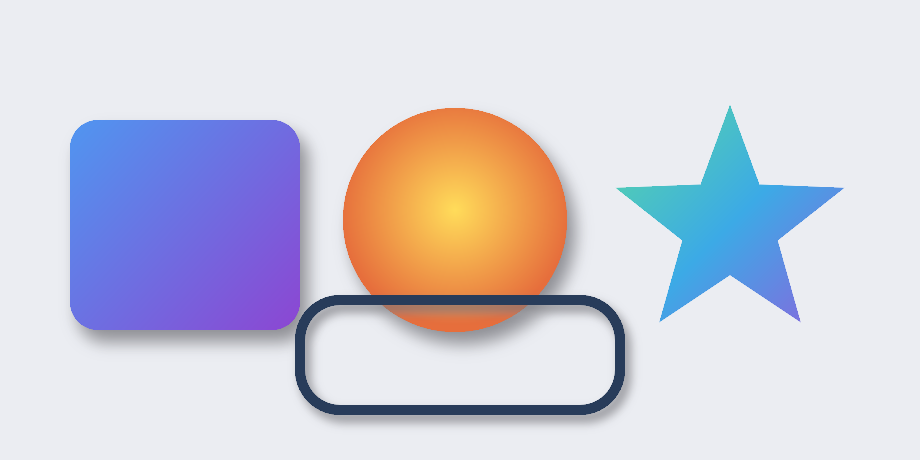
Open the renderer and move the parts
Launch the interactive Canvas internals lab →
Change a radius until it no longer fits. Move an image crop by one pixel and
watch its UVs change. Drag a Bézier control point, then step through the contour,
triangles, stroke ribbon, and AA fringe. Eight small experiments expose the
intermediate values behind beginFrame, drawRoundRect, drawImage,
drawPath, drawText, clipping, state stacks, and saveLayer.
First pixel in 60 seconds
The software backend needs no window, GL context, or GPU:
#include <wsc/wsc.h>

int main()
{
    auto canvas = wsc::Canvas::create(wsc::Canvas::Backend::Software, 256, 256);   // sized; beginFrame initializes
    canvas->beginFrame();

    wsc::Paint fill;
    fill.setColor(wsc::Color(40, 120, 240, 255));
    fill.setAntiAlias(true);
    canvas->drawRoundRect(wsc::RectF(40, 40, 176, 176), 24.0f, fill);

    canvas->endFrame();
    canvas->savePixelsPPM("first.ppm");
    return 0;
}
Add it to your build:
find_package(WhatsCanvas 1.2.1 CONFIG REQUIRED)
target_link_libraries(MyApp PRIVATE WhatsCanvas::OpenGL)   # or ::Software / ::OpenGLES
➡️ Get Started covers backend selection, windowed OpenGL, GitHub Release consumption, Vulkan, and common tasks.
Pick a backend
| Backend | Create with | Needs a GL context / window? | Use when |
|---|---|---|---|
| Software (CPU) | Canvas::create(Backend::Software, w, h) |
No | Headless, servers, tests, thumbnails |
| OpenGL | Canvas::create(Backend::OpenGL, w, h) + loadOpenGL(...) |
Yes (you own it) | Desktop apps/games with a window |
| OpenGL ES | Canvas::create(Backend::OpenGLES, w, h) + loadOpenGL(...) |
Yes (you own it) | Mobile / embedded GLES 3.0 |
| Vulkan (optional) | Canvas::create(Backend::Vulkan, w, h) |
No external GL context; off-screen by default | Vulkan pipelines, or Win32 ToWindow; degrades gracefully |
| Metal (macOS / iOS) | Canvas::create(Backend::Metal, w, h) |
No; on-screen via CAMetalLayer through Canvas::setOutputTarget |
Apple platforms, unified memory GPUs; default when built on macOS/iOS |
Capabilities at a glance
| Area | What is ready |
|---|---|
| Geometry and paint | Paths, fill/stroke, analytic AA, dashes, hit testing, linear/radial multi-stop gradients, blend modes, shadows, and color matrices |
| Canvas composition | Save/restore, transforms, rectangular and AA path clips, off-screen layers, render-target canvases, and quick reject |
| Images | File/encoded-memory/RGBA loading, texture updates, fit modes, nine-patch, rounded/circular clipping, tiling, mipmaps, and wrapped external textures |
| Text | Font discovery and fallback, FreeType, HarfBuzz shaping, UAX #9 bidi, CJK wrapping, GPU glyph atlases, COLR/CPAL color glyphs, and styled/path text |
| Effects | Image and backdrop blur, frosted glass, inner shadow, color matrix and offset nodes, and ordered ImageFilterChain composition |
| Verification | Software golden images, GL/GLES/Vulkan/Metal pixel parity, deterministic readback, cross-platform CI, performance confidence intervals, and resource diagnostics |
Text that belongs in a real product
The portable text stack combines HarfBuzz shaping, multi-font fallback segmentation, FreeType rasterization, full Unicode UAX #9 bidi (861,948 conformance cases, zero failures), COLR/CPAL color glyphs, and a GPU glyph atlas. Layout adds CJK line breaking, ellipsis, baselines, spacing, gradient/stroke/shadow text, and text on a path.
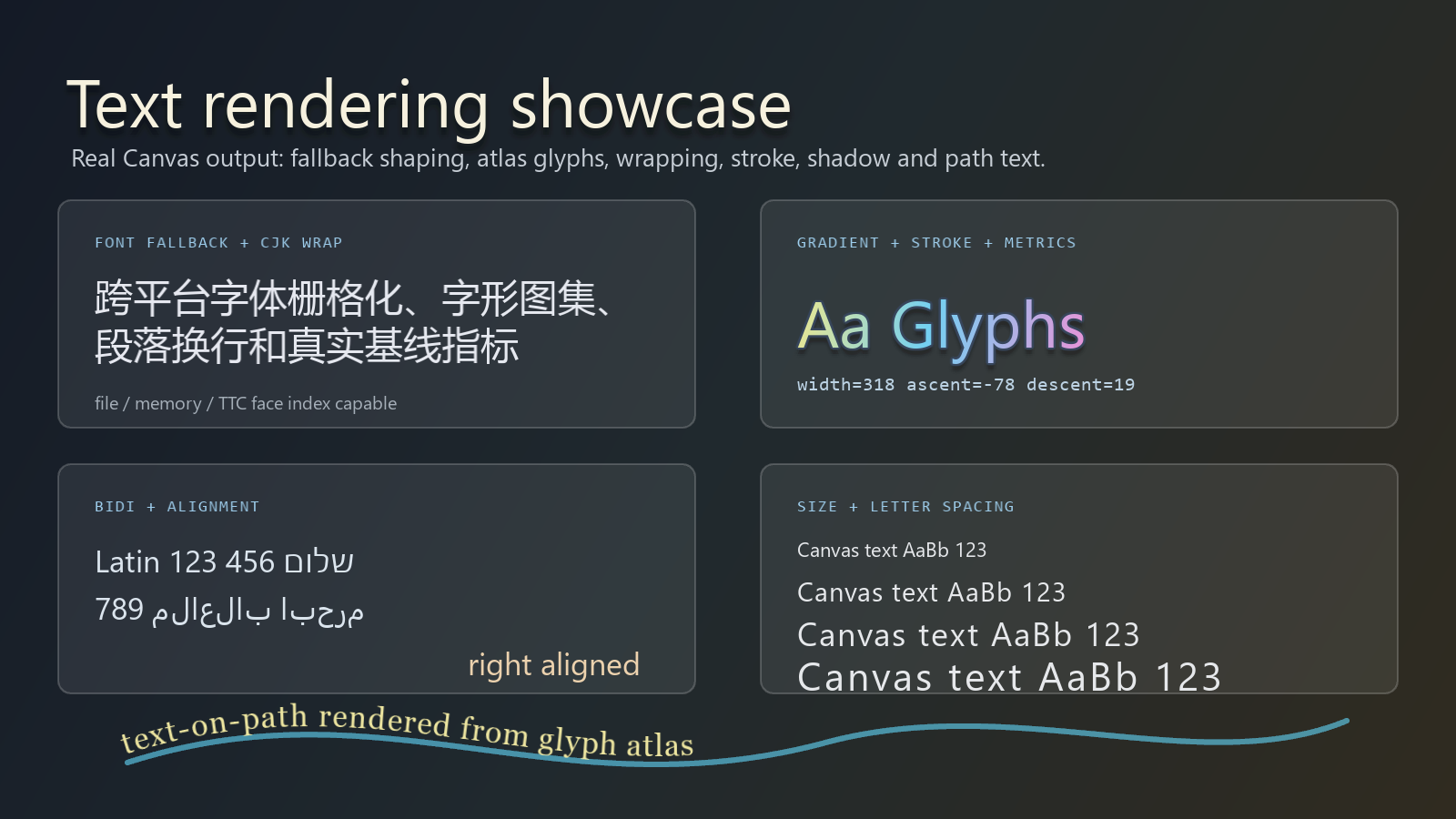
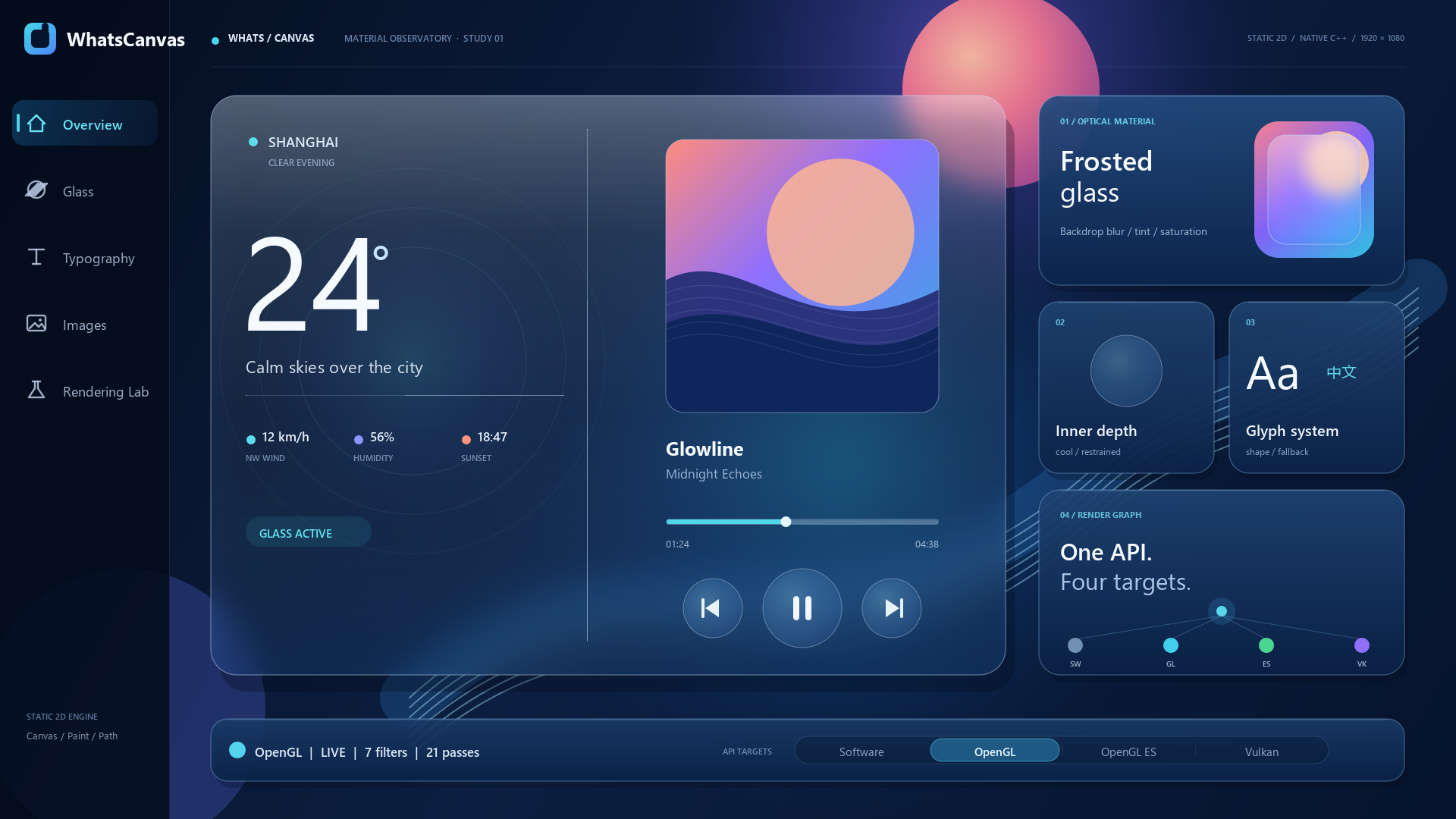
Image filters and frosted glass
Filters are attached to saved layers, so geometry and foreground text remain
independent from the processed image. ImageFilterChain can apply blur, inner
shadow, a 4x5 color matrix, and transparent-boundary offsets in a declared
order. Backdrop filters sample content already drawn behind the layer, enabling
real frosted-glass panels instead of a pre-blurred imitation.
Build image filters and backdrop effects
Performance with evidence
The public benchmark runs at 1920 x 1080 in Release, synchronizes complete
frames, checks pixels before accepting timing, alternates fresh processes in
ABBA order, and publishes raw samples plus bootstrap 95% confidence intervals.
| Parameterized comparison against NanoVG GL3 | Result |
|---|---|
| Pixel-quality gates | 27 / 27 passed |
| Complete 27-cell matrix | 26 wins, 0 losses, 1 inconclusive |
| Image workloads | 9 / 9 wins |
| Text workloads | 9 / 9 wins |
| Final focused geometry follow-up | 0.605 ms vs 0.807 ms |
The focused follow-up used four ABBA blocks and eight fresh processes per
renderer; its paired NanoVG/WhatsCanvas ratio was
1.331x [1.327, 1.441]. These are reference-machine results, not a universal
cross-hardware ranking.
Read the benchmark methodology and results
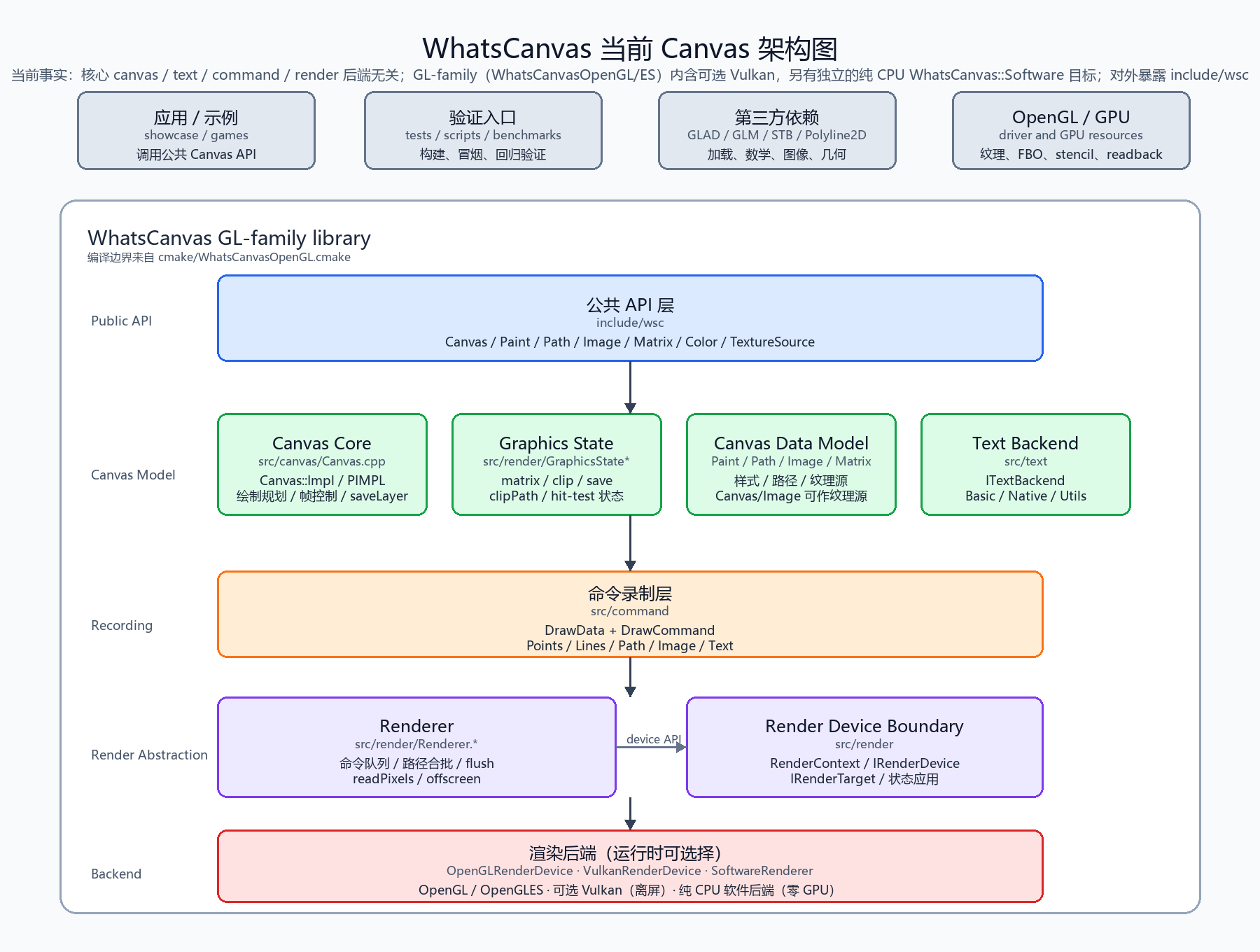
Architecture at a glance
The core (canvas / text / command / render) is backend-neutral; only the
device layer is backend-specific.
Where next
- Get Started — integrate WhatsCanvas.
- Android Integration — embed the OpenGL ES backend
with
GLSurfaceView, JNI, and correct context lifecycle handling. - Web / Async Font Integration — connect browser or host downloads to the nonblocking remote-font provider.
- API Reference · API Stability.
- Performance Benchmarks · NanoVG 性能优化实战 · Memory Management.
- Image Filters · Text & Fonts · Web / Async Fonts · Shadows · Blend Modes.
- Vulkan Status · Shader Portability · iOS Build Notes.